

Näin KotioAI toimii
KotioAI on oma ostaja-agenttisi asuntokauppaan. Sinä tuot kohteet, ja KotioAI käy ne läpi: vertaa niitä toiveisiisi, laskee todelliset kulut, kertoo riskit ja vastaa kysymyksiisi. Kohteet tulevat aina sinulta, eikä KotioAI pidä lukemistaan sivustoista tietokantaa.
1 · Lisää kohde
Nopein tapa on liittää kohteen linkki. Muut tavat toimivat, jos linkkiä ei ole tai jokin kenttä jää vajaaksi.
Liitä kohteen linkki
- Kopioi ilmoituksen linkki ja liitä se Liitä linkki -kenttään.
- Paina Hae tiedot. KotioAI täyttää kohteen tiedot valmiiksi.
Muut tavat lisätä kohde
Ota kuva / kuvakaappaus
- Ota asuntosivulla kuvakaappaus (pitkistä ilmoituksista kannattaa ottaa useampi).
- Avaa KotioAIssa Lisää uusi ja napauta ”Ota kuva kohteesta”.
- Lataa kuvakaappaukset. KotioAI lukee niistä hinnan, koon, vastikkeet ja muut tiedot.
Yhden napsautuksen kirjanmerkki
- Näytä selaimesi kirjanmerkkipalkki, jos se on piilossa: paina Ctrl+Shift+B (Windows/Linux) tai ⌘+Shift+B (Mac).
- Vedä alla oleva ”KotioAI: Vedä kirjanmerkkeihin” -painike kirjanmerkkipalkkiin.
- Avaa mikä tahansa kohde selaimessasi ja napsauta kirjanmerkkiä. KotioAI avautuu, ja kohteen tiedot ovat valmiiksi täytettyinä.
Jos kohde jää silti vajaaksi, vedä painike kirjanmerkkipalkkiin uudelleen. Selaimeesi on voinut jäädä vanha versio.
Lähetä PDF
- Tallenna asuntosivu PDF:nä (työpöytä: Ctrl/Cmd+P → Tallenna PDF:nä; mobiili: Jaa → Tulosta → Tallenna).
- Pudota PDF Lisää uusi PDF -korttiin (tai napauta valitaksesi sen).
Syötä käsin
- Täytä lomakekentät (URL, otsikko, hinta, koko, huoneet, osoite, kuvaus).
- Lisää halutessasi hoitovastike, rahoitusvastike, lainaosuus, rakennusvuosi jne.
2 · Lue pisteet ja suositukset
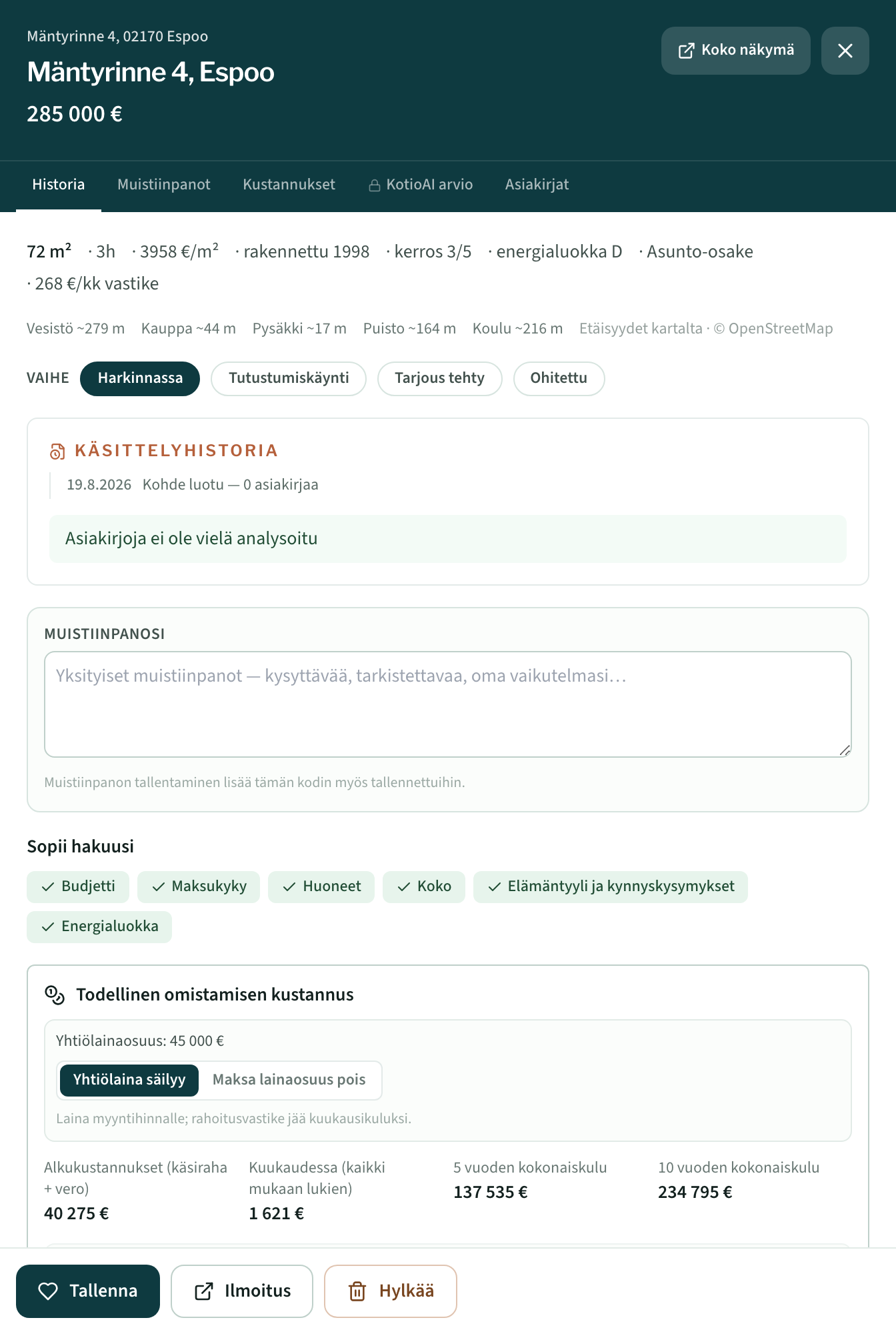
Jokainen koti saa 0–100 pisteet ja suosituksen siitä, kannattaako sitä käydä katsomassa.
Kortilla näkyy tärkein: pisteet, hinta ja neliöhinta. Napauta korttia tai Tiedot-painiketta, niin koko arvio aukeaa. Siinä KotioAI kertoo, mistä pisteet tulevat, mitä asuminen oikeasti maksaa, mitkä ovat kohteen riskit ja mitä näytössä kannattaa kysyä. Samasta paneelista voit tallentaa tai hylätä kohteen.

3 · Kysy KotioAIlta
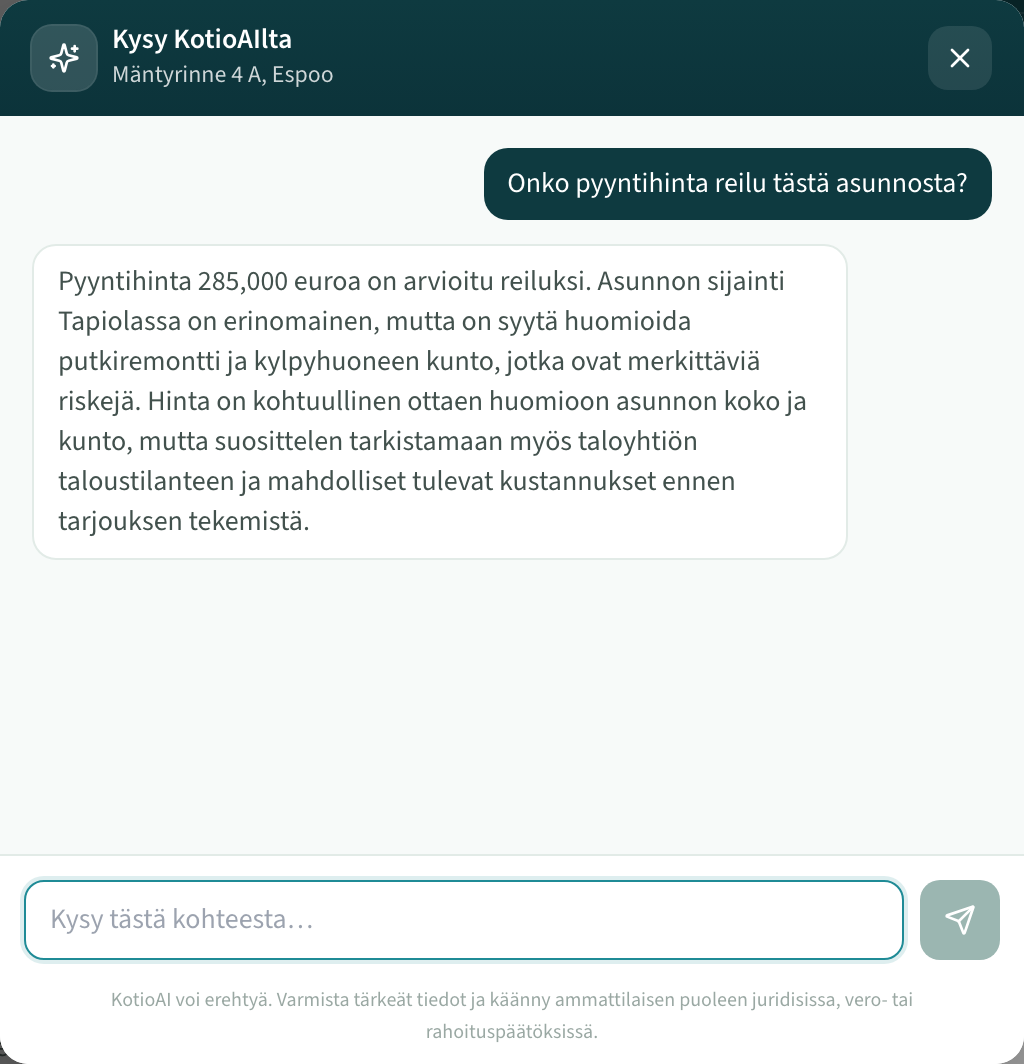
Kysy mitä tahansa yhdestä kohteesta.
Avaa kohteen tiedot ja valitse Kysy KotioAIlta. Voit kysyä vaikka, onko hinta reilu, mitä varoitukset tarkoittavat tai mitä asiakirjoja myyjältä kannattaa pyytää. Vastaukset perustuvat juuri tämän kohteen tietoihin ja omaan profiiliisi.
4 · Tarkista asiakirjat
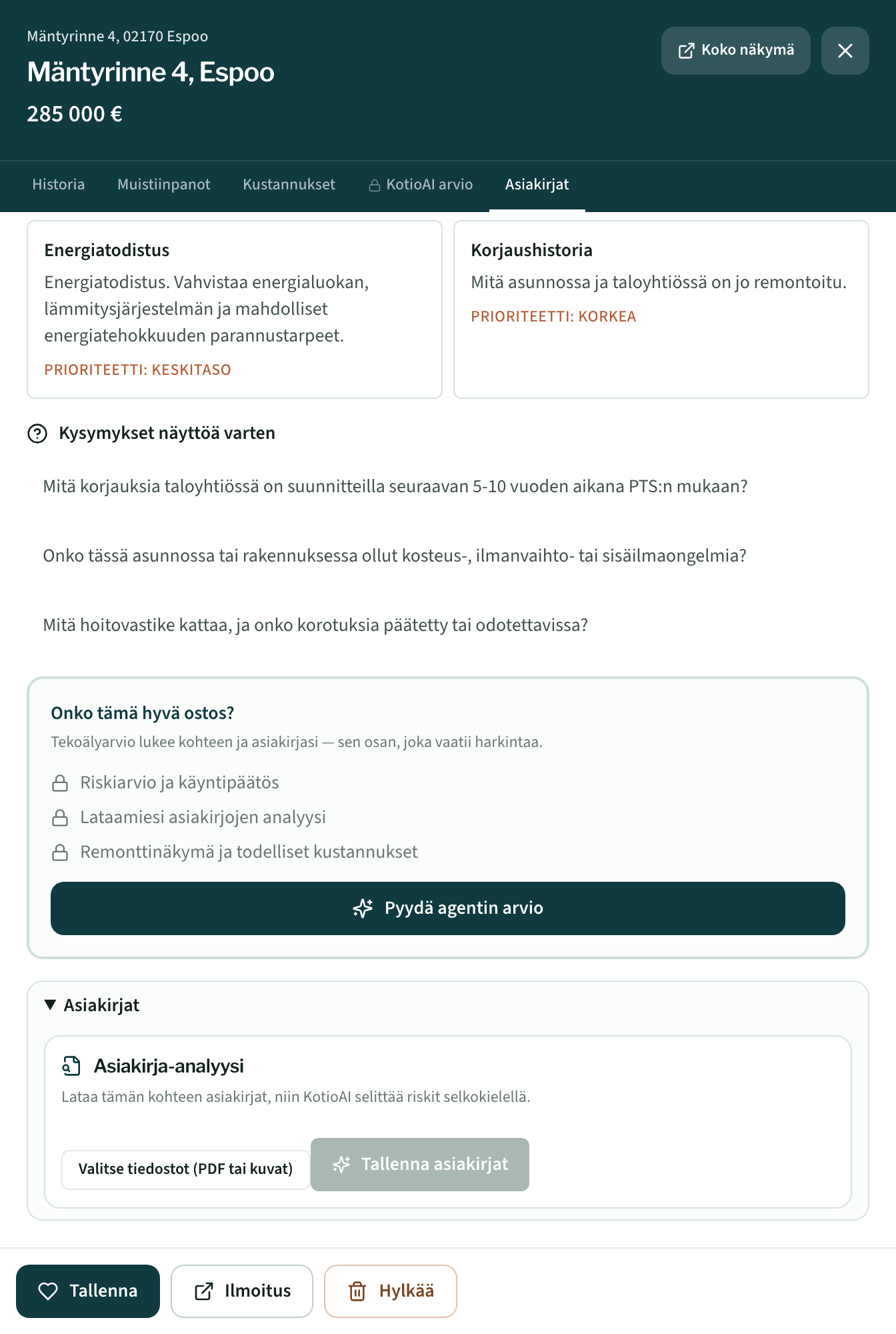
Suurimmat yllätykset löytyvät asiakirjoista, eivät ilmoituksesta.
Lataa Asiakirjat-osiossa isännöitsijäntodistus, kunnossapitosuunnitelma (PTS), tilinpäätös tai yhtiökokouksen pöytäkirja. KotioAI kertoo niistä tulevat remontit, yhtiön todellisen velkatilanteen ja mahdolliset vastikekorotukset. Saat myös yhteenvedon ja listan kysymyksistä, jotka kannattaa vielä selvittää.
5 · Profiilisi ja oletukset
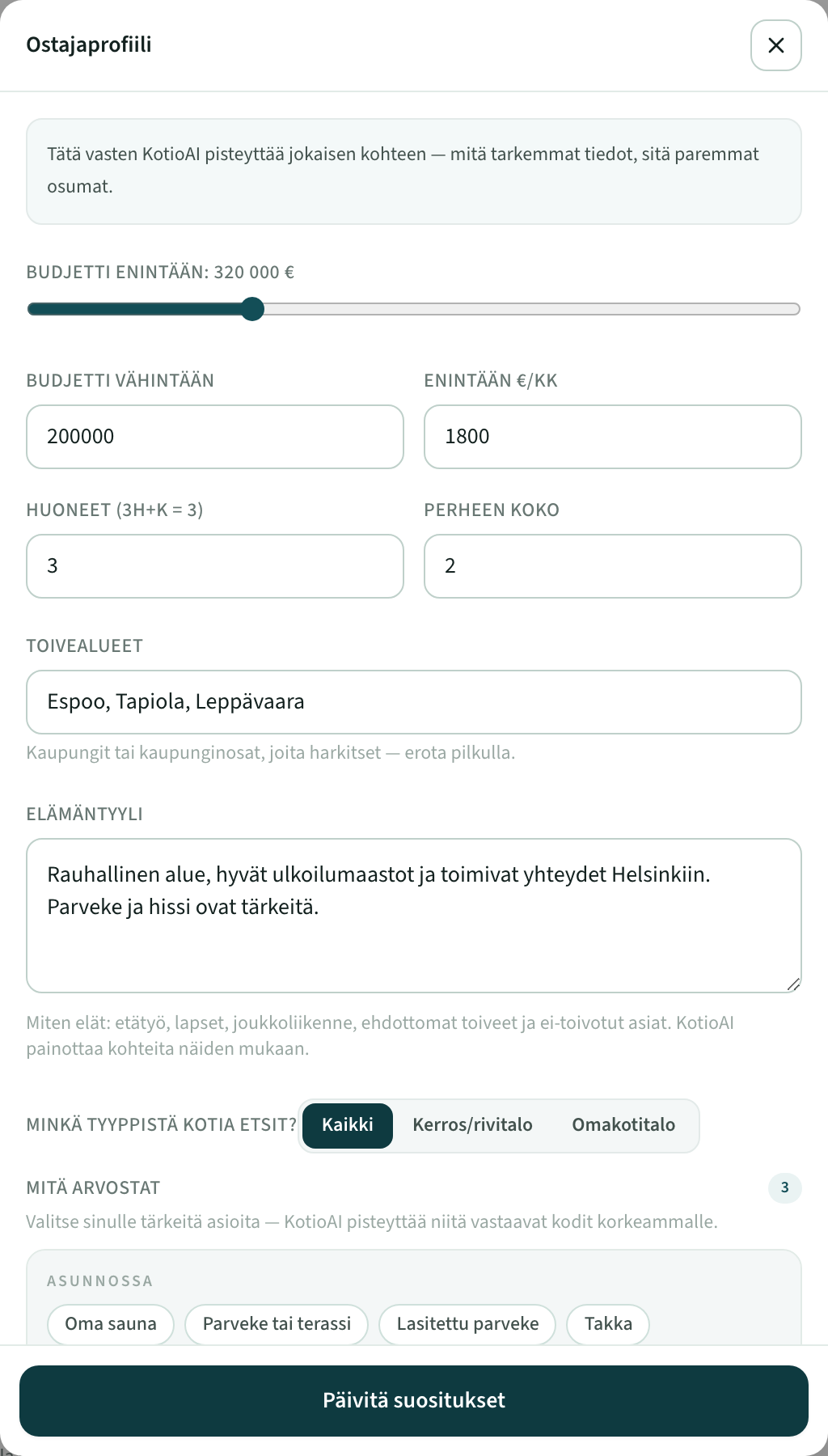
Nämä asetukset vaikuttavat jokaisen kohteen pisteisiin.
Kerro Muokkaa profiilia -kohdassa budjettisi, huonetoiveesi, alueet ja sinulle tärkeät asiat. Oletusasetuksissa (rattaan takana) säädät rahoitusoletukset, kuten käsirahan ja laina-ajan, joita kustannuslaskelma käyttää.
Tietosi ja yksityisyytesi
Tietosi pysyvät sinun hallinnassasi. KotioAI ei selaa asuntoportaaleja eikä kerää niistä tietokantaa: kun liität linkin, se hakee vain pyytämäsi yhden ilmoituksen. Voit myös syöttää tiedot itse, tuoda PDF:n, lisätä kuvakaappauksen tai käyttää selaimessa toimivaa kirjanmerkkiä. Kohteesi ja arviosi näkyvät vain omalla tililläsi, ja voit poistaa ne milloin tahansa.
Hinnat ja käyttö
Ilmaisella tilillä voit tallentaa kohteita, ja jokainen kohde saa osuvuuspisteet, faktat ja kustannuslaskelmat. Tekoälyn ostaja-agentin arvio ja asiakirja-analyysi kuuluvat Premium-tilaukseen, tai voit ostaa yksittäisen analyysin yhdestä kohteesta ilman tilausta. Ajantasaiset hinnat näet Hinnat-sivulta. Tilauksen voi perua milloin tahansa, ja maksut hoitaa Stripe.
Jos jokin ei toimi
Tuonti jätti kenttiä tyhjäksi
Tarkista esitäytetyt tiedot ja täydennä puuttuvat käsin. Linkin liittäminen tuo useimmat tiedot, mutta kaikkia ilmoituksen osioita ei aina näy pelkän linkin kautta. Silloin kuvakaappaus tai selaimen kirjanmerkki täydentää loput, sillä ne lukevat sivun juuri sellaisena kuin sinä sen näet.
Arvio kestää useita minuutteja
Se on normaalia: arvio käy läpi kohteen tiedot, asiakirjat ja profiilisi. Voit sillä välin siirtyä muualle sovelluksessa tai päivittää sivun. Arvio jatkuu taustalla ja ilmestyy valmiina paikalleen.
Kohteessa lukee Päivitä
Kun parannamme analyysia, vanha arvio jää näkyviin ja saa merkinnän vanhentumisesta. Paina Päivitä, niin kohde arvioidaan uudelleen. Vanha arvio säilyy, kunnes uusi on valmis.
Ota yhteyttä
Nopein tapa on yläpalkin Palaute-nappi: viesti tulee suoraan meille, ja luemme jokaisen. Sähköpostilla tavoitat meidät: support@kotioai.com.